Colorize Old Photos with AI
Upload a black and white or faded photo and get a repaired, naturally colored version in about 30 seconds. Free preview, no sign-up.
Drop an old photo here
JPG, PNG or WebP · up to 12 MB · no sign-up
Restoring takes about 30 seconds.
See the difference
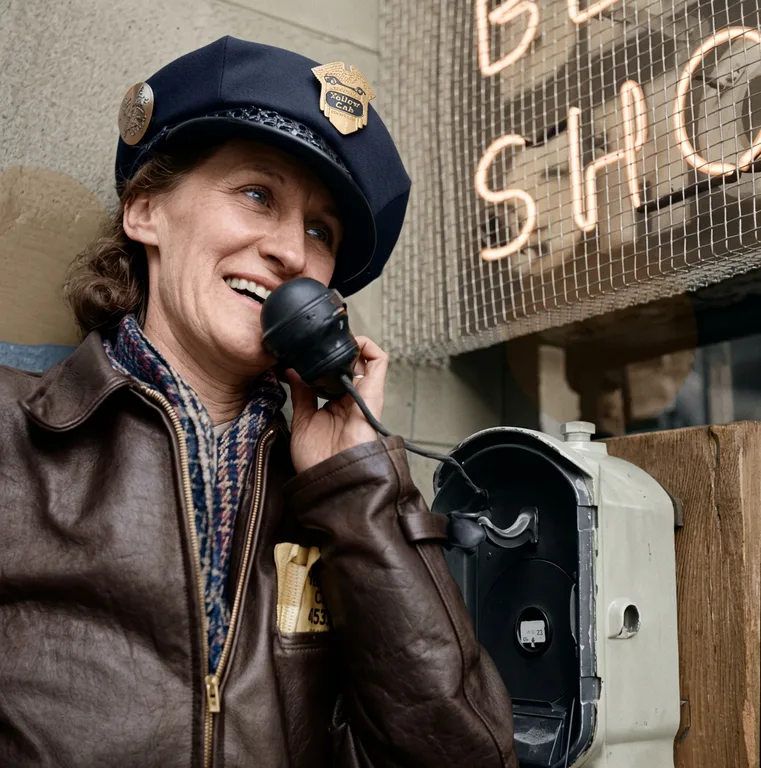
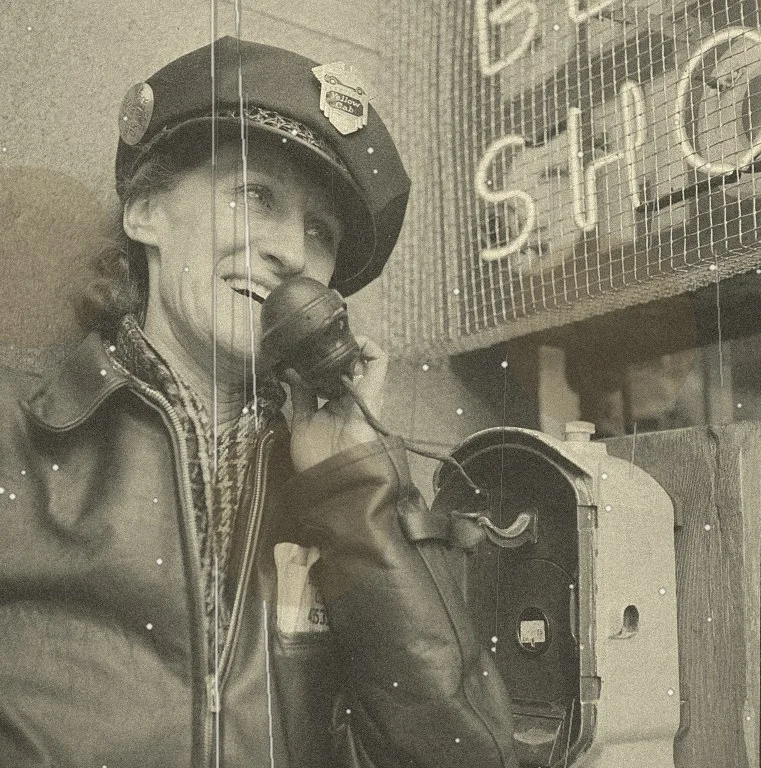
How to colorize an old photo in three steps
- Step 1
Upload your photo
Drop in a JPG, PNG or WebP up to 12 MB. A flat scan or an evenly lit phone photo of the print both work.
- Step 2
Pick a mode
Choose colorize only, restore only, or restore and colorize if the print is also scratched or faded.
- Step 3
Compare and download
Drag the before and after slider, then download the result. Your original is never changed.
What it means to colorize an old photo with AI
A black and white photograph records how bright each part of a scene was, but not what color it was. Colorizing means estimating that missing information. A modern colorization model has learned from a very large number of color photographs what skies, skin, foliage, wood, brick and fabric usually look like, and it predicts a plausible color for every region of your picture.
That is why the result looks natural on faces, landscapes and everyday scenes. It is also why the result is an informed estimate rather than a record. The model cannot know that your grandfather's jacket was dark green, only that a jacket of that tone is most likely to be a certain range of colors.
This page is built for the most common request: take a family or historical photo, keep it faithful to the original, and add believable color. If the print is also damaged, the restore and colorize mode repairs it first so the color is not applied to cracks and stains.
Colorize only, or restore and colorize?
The two modes use different technology, and the difference matters for how faithful the result is.
Colorize only
A dedicated colorization model adds color and leaves the picture structure as it is. Best for clean scans and negatives. It does not remove scratches, creases or stains, so those stay visible, now in color.
Restore and colorize
A generative image editing model removes damage and adds color in one pass, prompted to keep faces, poses and composition unchanged. Best for prints with cracks, fading, stains or noise. Costs more to run, so it uses more credits.
Where colorization works best
Family portraits
Skin, hair and eyes are the strongest part of the model. Portraits from the 1920s to the 1970s usually come out natural with no adjustment.
Historical and archive images
Public domain photographs from libraries and archives make good subjects. Remember that clothing, vehicles and flags are guesses unless you have a source for the true colors.
Landscapes and architecture
Sky, water, grass and stone have consistent colors, so outdoor scenes often look convincing.
Group photos and events
Weddings, class pictures and gatherings work well. Larger groups have smaller faces, so scan at high resolution.
Tips for a better result
Input quality changes the output more than any setting. Scan prints at 600 DPI, or photograph them flat in even daylight with no flash and no glare, and crop away the table or album page. Straighten the image so the edges are square.
If your photo is a faded color print rather than black and white, use the restore and colorize mode, which can also recover the fading. Very small or heavily compressed images give the model little to work from, so use the largest copy you have.
If a color looks wrong, run the photo again. The model is not deterministic, and a second attempt sometimes gets a detail like a dress or a car right.
Accuracy, honesty and privacy
AI colors are plausible, not verified. If a family recollection or a museum record tells you an object was a specific color, trust that over the model. We would rather tell you this plainly than promise historical accuracy no AI tool can offer.
Your photos are handled as the private material they are. Uploads and results are deleted automatically within 24 hours, and they are never used to train AI models. You can read the details in our privacy policy.
Related tools and guides
- AI photo colorizer
Colorize-only mode for clean black and white images.
- Old photo restoration
Remove scratches, creases, stains and fading, with optional color in the same pass.
- Pricing
Free previews; credits only when you download.
- Contact
Questions, refunds, or a deletion request.
Frequently asked questions
Are my photos stored or used to train AI?
No. Photos are processed to produce your result and are automatically deleted within one to two days. We never use uploads to train models.
Are the colors historically accurate?
AI colorization is an informed estimate, not a record of the original colors. Skin tones and natural scenes usually look right; uniforms, cars and clothing may need a manual tweak or a family recollection.
What kinds of damage can be repaired?
Scratches, creases, fading, stains, dust, noise and blur. Restoration uses generative AI, so faces are preserved as closely as possible but can change slightly; compare against your original. Very large missing areas are reconstructed rather than recovered.
What is the best way to scan an old print?
Scan at 600 DPI or photograph it flat in even daylight without flash. Higher-quality input gives noticeably better results.
Is it free?
You can preview results for free without signing up. Downloads use credits: colorizing costs 1 credit, restoring (with or without color) costs 2. New visitors get a few free previews every day.